

Slimpod Community
deactivating your community profile

If you no longer wish to be active in the Slimpod community, you can deactivate your profile at any time
by following the steps below.

How to Deactivate Your Community Account:

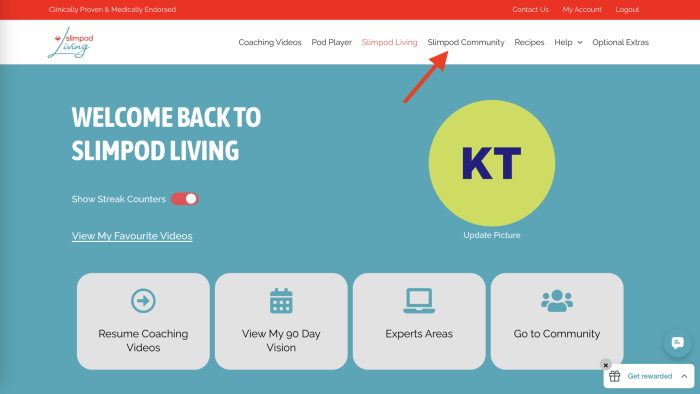
  1. From your dashboard, click on Slimpod Community.
Dashboard 1

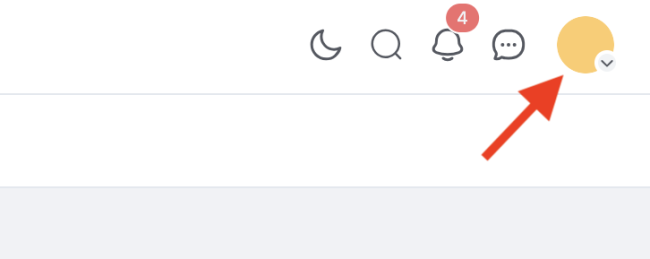
2. Click on your profile image in the upper right corner.

Profile Picture 1

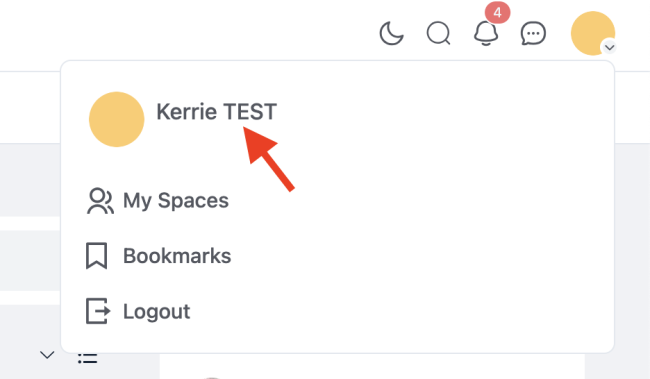
3. Click on your name.

Profile Picture 2

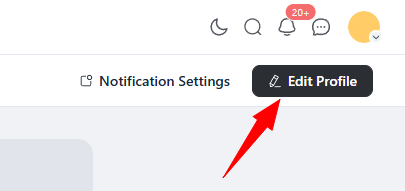
4. Click on “Edit Profile” in the upper right corner.

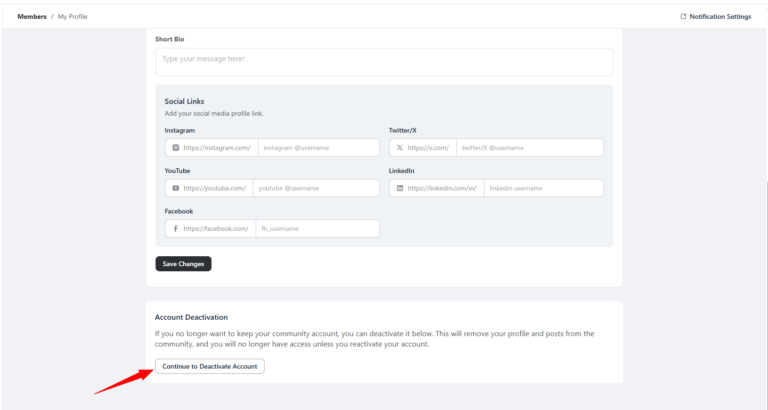
5. Scroll down to “Account Deactivation” and select “Continue to Deactivate Account”.

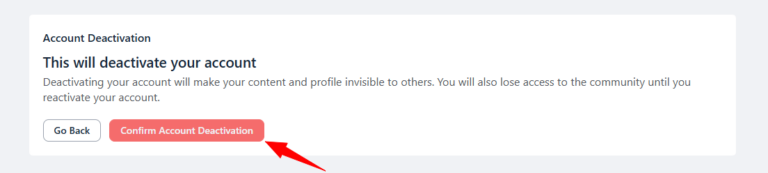
6. Select “Confirm Account Deactivation”.

7. Your profile has been successfully deactivated. Your previous content is no longer visible to other community members. If you’d like to rejoin and participate in community activities again, you’re welcome to reactivate your profile at any time.

Changed Your Mind?

We’d love to welcome you back! You can reactivate your community profile at any time and jump right back into the conversation. Your account can be restored quickly so you can reconnect, participate, and enjoy everything the community has to offer. Whenever you’re ready, we’ll be here to greet you.

How to Reactivate Your Account:

  1. At any point you can click to go to the community in your menu or from the dashboard.
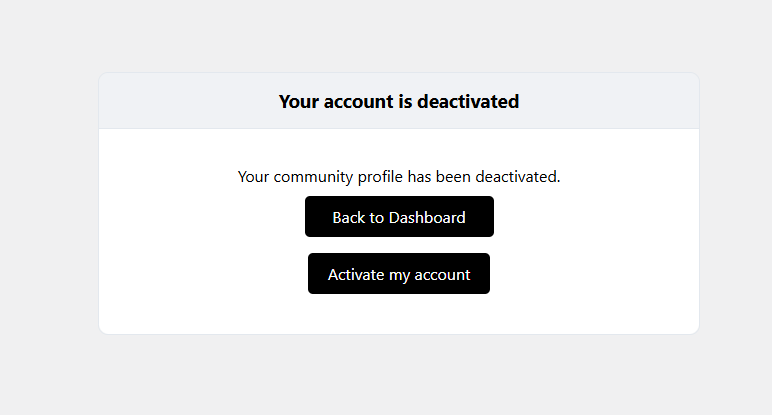
  2. You’ll be taken to an “Your account is deactivated” page.
  3. Clicking “Activate my account” will automatically reactivate you and bring you to the community.

If you have any questions or would like more information about the Slimpod Community, please don’t hesitate to reach out to us at [email protected] and our team is happy to help and support you in any way we can.

×

To install this Web App on your iPhone/iPad press and 'Add to Home Screen'.

×

To install this Web App on your iPhone/iPad, open in Safari and follow instructions there.

×

To install this Web App on your iPhone/iPad press , select 'Open in Safari' and follow instructions there.

Scroll to Top